WhatsApp × GoHighLevel

WhatsApp use cases for GoHighLevel agencies

Connect the work your team already does in WhatsApp with the GHL subaccount where it belongs: capture a new inquiry, assign a sending number, or let a poll choose the next workflow branch.

Choose a starting point

Three jobs agencies bring into GHL

Start with the job your agency needs to handle.

Lead capture

WhatsApp Lead Capture for GoHighLevel

Turn a new one-to-one inquiry from an unmapped sender into a GHL contact with the phone number and available display name, plus the configured source and tag.

  • Useful for inbound inquiries that start in WhatsApp.
  • Scope is individual conversations, not an address-book or history import.
WhatsApp Lead Capture for GoHighLevel

Number assignment

Multiple WhatsApp Numbers in GoHighLevel

Connect up to five devices in one GHL subaccount, assign GHL users, and document which device sends in each situation before a client team replies.

  • Useful for separate sales and service numbers.
  • Manual replies and automated actions follow different sending paths.
Multiple WhatsApp Numbers in GoHighLevel

Workflow branching

WhatsApp Polls in GoHighLevel Workflows

Ask one question in WhatsApp and use the first valid vote to select the next GHL workflow branch. Single-choice polls support two to twelve options.

  • Useful when a short choice should determine the next step.
  • Design the follow-up around confirmed first-vote behavior.
WhatsApp Polls in GoHighLevel Workflows

See the configuration

Match the workflow to the right number.

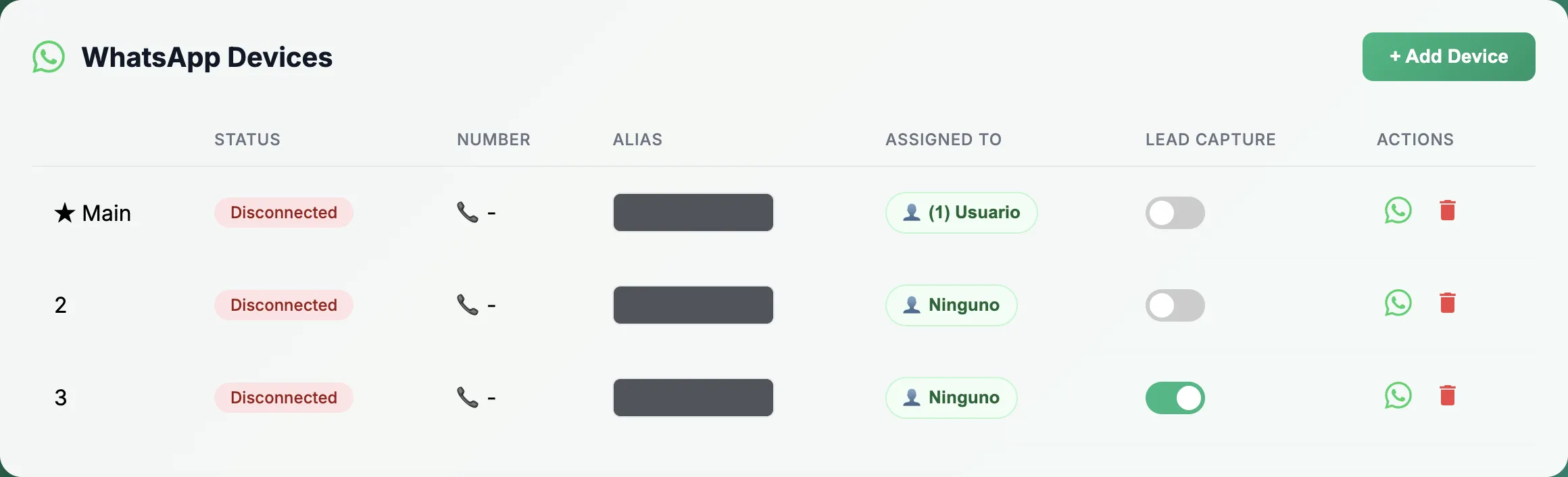
Check connected numbers, user assignments and the Main device before configuring a team workflow.

  • Capture new inquiries in the correct GHL subaccount.
  • Assign sales and service users to the intended numbers.
  • Define poll answers and the path for no response.
WhatsLevel device manager showing three disconnected devices, with identifying details hidden
WhatsLevel device manager with identifying details hidden. The devices shown are disconnected; this screenshot illustrates the controls, not a delivery test.

Ready to connect the workflow?

Start with the GHL subaccount you already run.

Choose the use case, confirm the sender behavior, and build the next step around the conversation your team needs to handle.

Get started with WhatsLevel